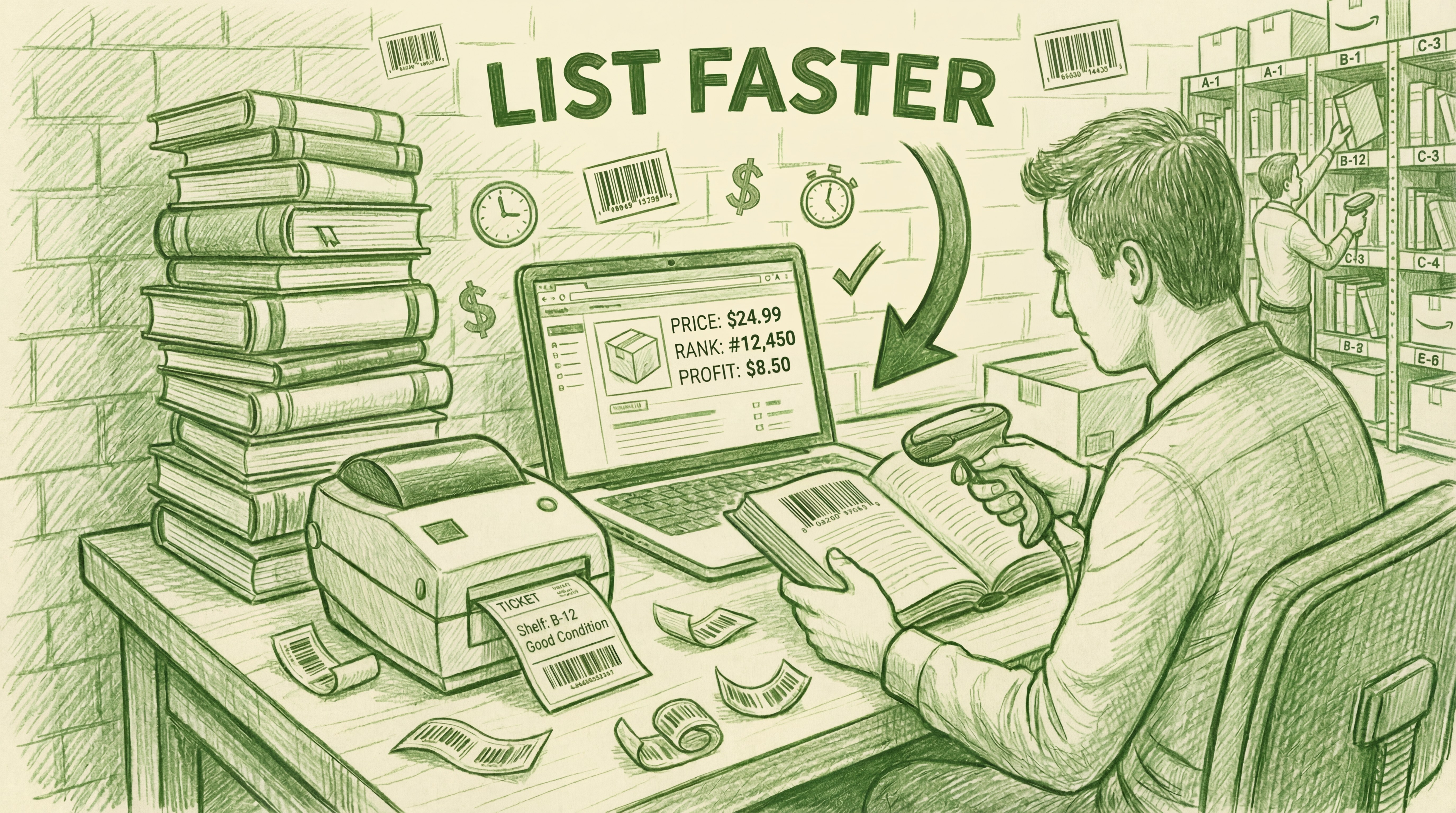
Every book seller eventually hits the same question: should I send this to FBA or keep it merchant fulfilled?
The honest answer is that the question itself is slightly wrong. It’s not FBA or MF — it’s knowing which books belong in each channel, and having a system that handles both without doubling your workload.
This guide walks through the real decision criteria, the refund risk most sellers don’t talk about, and why the sellers making the most money are running both channels at once.
What Is the Actual Difference?
With FBA, you prep and ship your books to an Amazon fulfillment center in batches. Amazon stores them, picks and packs each order, ships to the customer, and handles all customer service and returns. You don’t touch the order after it arrives at the warehouse.
With Merchant Fulfilled, the books stay with you. You list them, store them, and ship each order yourself when it comes in. You handle your own customer service.
The tradeoff: FBA is more passive but costs more. MF is more hands-on but gives you more control and margin.

The FBA Cost Stack (What Most Guides Skip)
Here’s what FBA actually costs on a typical $15 book vs. shipping it yourself:
| Fee | FBA | Merchant Fulfilled |
|---|---|---|
| Referral fee (15%) | $2.25 | $2.25 |
| Media closing fee | $1.80 | $1.80 |
| Fulfillment / shipping | $3.40 (FBA fee) | ~$0 (shipping credit covers it) |
| Storage | Varies (adds up for slow movers) | $0 |
| Total fees on a $15 sale | ~$7.45 | ~$4.05 |
| You keep | ~$7.55 | ~$10.95 |
The $3.40 gap is the FBA fulfillment fee — that’s what you’re paying for Amazon to store and ship the book. Whether that’s worth it depends entirely on the book’s price and how fast it sells.
When FBA Makes More Sense
FBA earns its place for specific types of book inventory:
High-volume commodity books
Popular titles, textbooks, and common trade paperbacks that sell quickly and have enough margin to absorb FBA fees. If a book is going to sell within 30 days, FBA’s passive fulfillment is worth it. You’re not managing individual orders — you’re running a volume operation.
When you don’t want to touch orders
FBA’s real value proposition is time. If your goal is to batch-prep inventory once a week and not think about fulfillment the rest of the time, FBA delivers that. For sellers who work another job or manage large volumes, that’s worth the fee premium.
Prime eligibility
FBA listings display Prime badges and show 2-day delivery. For some buyers this matters — particularly for gifts, textbooks with deadlines, and buyers who filter by Prime. The Prime badge can close deals that MF wouldn’t.
When Merchant Fulfilled Makes More Sense
Lower-priced books
Below roughly $10, FBA fees eat the margin entirely. A $7 book with $5+ in FBA fees isn’t worth sending. Keep those MF or skip them at the source.
Books that might sit in the warehouse
FBA charges monthly storage fees, and long-term storage fees kick in at 365 days. Books that sell slowly — niche topics, older editions, obscure titles — accumulate storage costs that destroy margin. Keep slow movers MF where storage costs you nothing beyond your own space.
Restricted or gated categories
Some books trigger Amazon’s “restricted” flag and can’t be listed FBA. MF often has more flexibility. And if a book is restricted on Amazon entirely, it can route to eBay — which is only practical if you’re already managing MF inventory.

The Refund Risk Problem With FBA (Expensive Books)
This is the part most FBA guides don’t tell you, and it’s the reason experienced sellers keep high-value books merchant fulfilled.
With FBA, Amazon controls customer service. If a buyer claims a book arrived damaged or not as described — even incorrectly — Amazon will often refund them immediately, sometimes without requiring a return. For a $6 paperback, that’s a nuisance. For a $180 out-of-print textbook or a $250 first edition, that refund can wipe out weeks of profit.
With MF, you control the customer service conversation. You can ask for photos, verify the claim, and make a judgment call. You have visibility and options that FBA sellers simply don’t have.
The practical rule most experienced sellers use: books over $50–75 stay merchant fulfilled. Below that threshold, the refund risk is manageable and FBA’s convenience is worth it.
The Hybrid Approach: How Serious Sellers Actually Run It
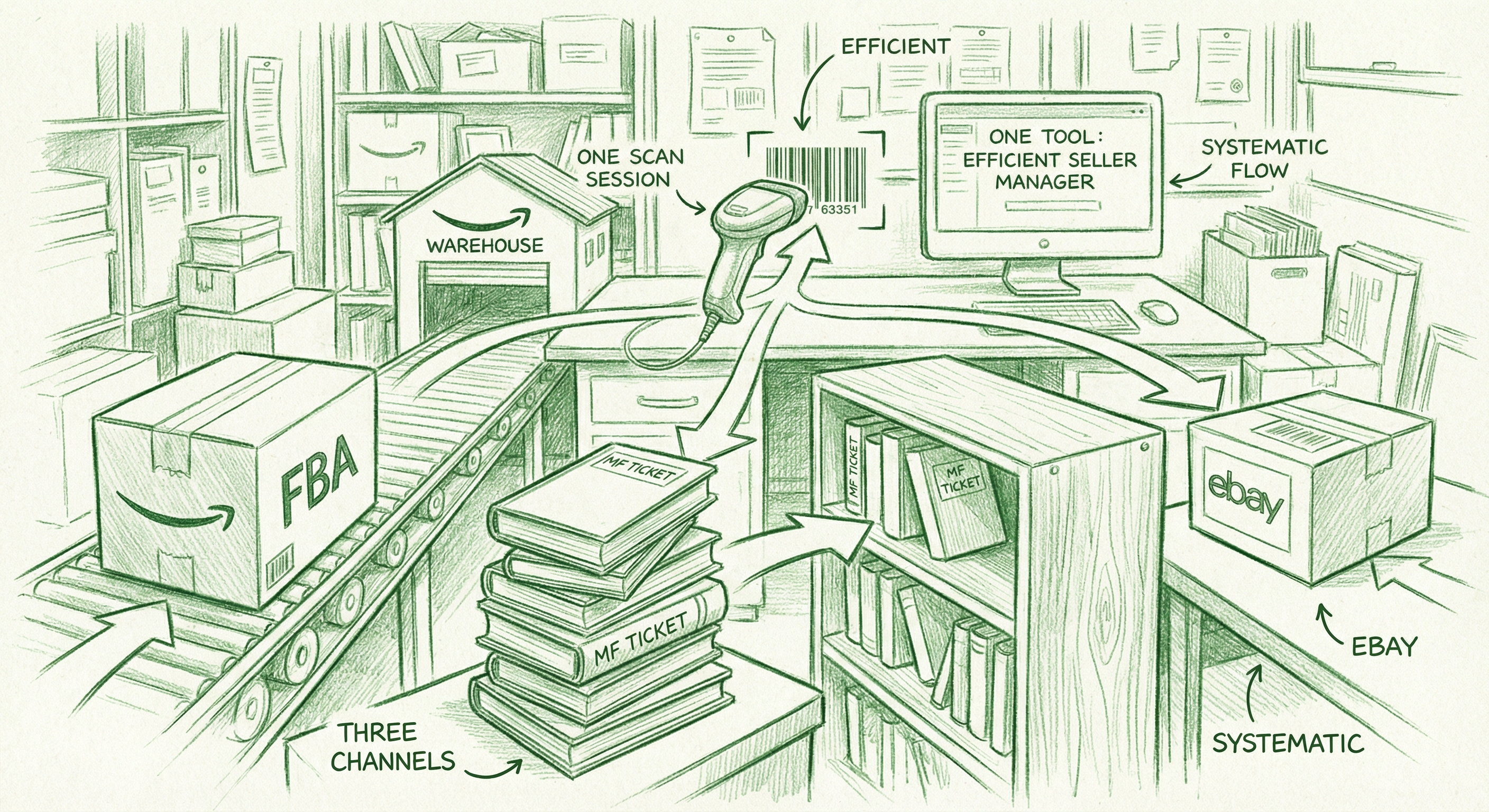
The sellers who make the most money from books don’t choose FBA or MF. They run both, with a clear routing decision at the point of listing:
• FBA: Common titles, $10–50 range, expected to sell within 60 days. Amazon fulfills Amazon orders from the warehouse. eBay orders on FBA inventory are fulfilled via Amazon’s Multi-Channel Fulfillment (MCF) program — Amazon ships from the same warehouse to your eBay buyer.
• MF (Merchant Fulfilled): Rare/expensive books ($50+), slow movers, restricted titles, anything where refund risk matters. You store and ship these yourself — both Amazon and eBay orders.
• eBay cross-listing: Works for both FBA and MF inventory. AccelerList cross-lists to eBay from the same scan session. FBA eBay orders route through MCF; MF eBay orders you fulfill yourself.
The problem most sellers run into with this approach: managing two separate workflows. FBA batch prep is different from MF listing and ticket printing. Keeping track of what’s where, what’s sold, and what to replenish gets complicated fast.
The reason AccelerList exists is specifically to make this hybrid workflow feel like one system. You scan a book, it routes to FBA or MF based on your setup, prints the right label or ticket, and cross-lists to eBay if restricted — all from the same scan session.
Setting Up FBA in AccelerList
When you create an FBA batch in AccelerList, a few settings matter:
Replenishments: Always Replenish. For FBA, set replenishments to “Always Replenish.” This tells AccelerList that you may send multiple copies of the same book to the warehouse — it won’t create a new separate listing each time.
SKU template for FBA: condition + batch SKU + buy cost + ASIN. Having the buy cost in the SKU lets you calculate margin on every sale without referencing a separate spreadsheet.
Condition macros: AccelerList’s condition macro system lets you build condition notes with taps rather than typing. For FBA, accurate condition grading is especially important because Amazon uses your description for any return claims — specific notes protect you if a buyer disputes the condition.
For the complete FBA listing workflow, see How to List Books on Amazon FBA Fast.
Setting Up MF in AccelerList
Replenishments: None. For MF, always set replenishments to None. Every book in your MF inventory gets its own unique SKU — that’s what makes the ticket-as-location system work. If AccelerList created duplicate SKUs for the same title, you’d have no way to know which physical book to pull when an order comes in.
SKU template for MF: condition + batch number. Simple, scannable, printable on the MF ticket that goes inside the book.
For the complete MF listing workflow and ticket system setup, see How to List Books Merchant Fulfilled on Amazon.
Quick Guide: Which Books Belong Where
| Book type | Send to FBA? | Why |
|---|---|---|
| Under $10 | ❌ No | FBA fees eat the margin entirely |
| $10–50, fast seller | ✅ Yes | Passive fulfillment worth the $3.40 premium |
| $10–50, slow mover | ⚠️ Maybe | Storage fees accumulate — watch carefully |
| Over $50 | ❌ No | Refund risk — keep MF where you control outcomes |
| Restricted on Amazon | ❌ No | Keep MF and cross-list to eBay instead |
| Rare / collectible | ❌ No | MF gives you control over condition disputes |
What AccelerList Does That Generic Listing Tools Can’t
Most listing tools force you to choose: FBA or MF. You get one workflow.
AccelerList is built for sellers who run both. From the same scan session, you can create FBA batches and MF batches, print FBA labels and MF tickets, and cross-list restricted books to eBay. The system knows which mode you’re in and applies the right SKU template, replenishment settings, and label type automatically.
When an eBay order comes in on FBA inventory, AccelerList routes it through Amazon MCF — Amazon ships from the warehouse, no extra work on your end. When an eBay order comes in on MF inventory, you fulfill it yourself the same way you’d ship any MF order. When an MF order comes in, the ticket in the book tells you exactly where to find it. When an FBA batch is ready, AccelerList generates the shipment and prints box labels.
Running both channels isn’t twice the work — with the right system it’s one workflow with two outputs.
Frequently Asked Questions
Is FBA or merchant fulfilled better for selling books on Amazon?
Neither is universally better. FBA works best for common books in the $10–50 range with fast sales velocity. Merchant Fulfilled works best for expensive, rare, or slow-moving books where you need margin control and refund protection. Most serious book sellers run both.
What are the FBA fees for books?
Expect 15% referral fee + $1.80 media closing fee + roughly $3.22–$3.86 FBA fulfillment fee depending on weight, plus monthly storage fees. Total fees on a $15 book typically run $7–8.
Can Amazon refund a buyer without returning the book?
Yes. With FBA, Amazon controls customer service and may issue refunds without requiring returns, especially for lower-value items. This is a real risk for expensive books — one reason many sellers keep high-value inventory merchant fulfilled.
What is the minimum price worth sending to FBA?
Most experienced sellers use $10 as the floor — below that, FBA fees consume most of the margin. At $10, you’re looking at roughly $5–6 in fees, leaving very little. The sweet spot for FBA books is $15–50.
Do I need separate tools for FBA and MF?
Not with AccelerList. It handles both FBA batch prep (with Dymo label printing and Amazon shipment creation) and MF listing (with ticket printing and eBay cross-listing) from the same interface.
What is the replenishment setting for FBA vs MF?
FBA: Always Replenish (you may send multiple copies of the same title). MF: None (every book needs a unique SKU for the ticket system to work correctly).
Should expensive books go FBA or MF?
Merchant Fulfilled, in most cases. Books over $50–75 carry real refund risk with FBA — Amazon may refund buyers without returning the item, and you have no recourse. MF gives you control over the customer service conversation and the refund decision.
Can I cross-list FBA books to eBay?
Yes — AccelerList cross-lists both FBA and MF inventory to eBay. When an eBay order comes in for an FBA book, it routes through Amazon’s Multi-Channel Fulfillment (MCF) program, which ships the book from Amazon’s warehouse to your eBay buyer. For MF books, you fulfill the eBay order yourself the same way you’d handle any MF shipment.
Try AccelerList free for 14 days
See how many sales roll in. If you don't make at least $200 — just cancel. But if you're not signed up right now, that money is sitting there.
Start free trial →Related Reading
FBA vs Merchant Fulfilled for Books: Which Should You Use?
FBA vs Merchant Fulfilled for books: FBA (Fulfilled by Amazon) means you ship your inventory to an Amazon warehouse and Amazon handles storage, shipping, and customer service. Merchant…

Amazon seller & Software Founder