If you’re a bookseller on Amazon FBA, you’ve probably tried InventoryLab — or at least heard of it. It’s been around forever, it has solid accounting, and a lot of sellers use it. But if you’ve ever felt like it wasn’t quite built for you, you’re not wrong.
InventoryLab was designed for sellers with tidy catalogs — private label, wholesale, OA/RA sellers moving consumer goods with 50–100 SKUs. Booksellers have always been a secondary use case. And after the Threecolts acquisition, it’s gotten worse: the price jumped to $69/mo and the roadmap is now firmly pointed at enterprise sellers, not resellers processing hundreds of unique ISBNs a week.
AccelerList was built from day one for book and media resellers. Every workflow decision, every preset, every feature — designed for the seller running 5,000 unique SKUs out of a garage or warehouse, not a brand managing 50 ASINs.
Here’s where the difference actually lives.

InventoryLab’s Workflow Is Built Around a Settings Page. AccelerList Is Built Around Your Batch.
This is the fundamental architectural difference — and it’s the reason booksellers who switch to AccelerList never go back.
In InventoryLab, your workflow settings live in a settings page. You configure things at the user level, statically. If you want to change condition grading, price rules, or anything else mid-session, you’re navigating away, making changes, coming back. It works fine when you’re listing 50 ASINs with a consistent catalog. It falls apart when every book is different.
AccelerList is built around the batch — not a settings page. Your defaults travel with you. You can tweak condition, pricing rules, notes, and category right in the batch flow, on the fly, per item if you need to. The workflow bends to what you’re actually doing right now. No settings page. No navigating away. The tool adapts to your inventory — not the other way around.
For a bookseller where no two items are the same, this isn’t a minor UX preference. It’s the difference between a tool that fits your workflow and one that fights it.
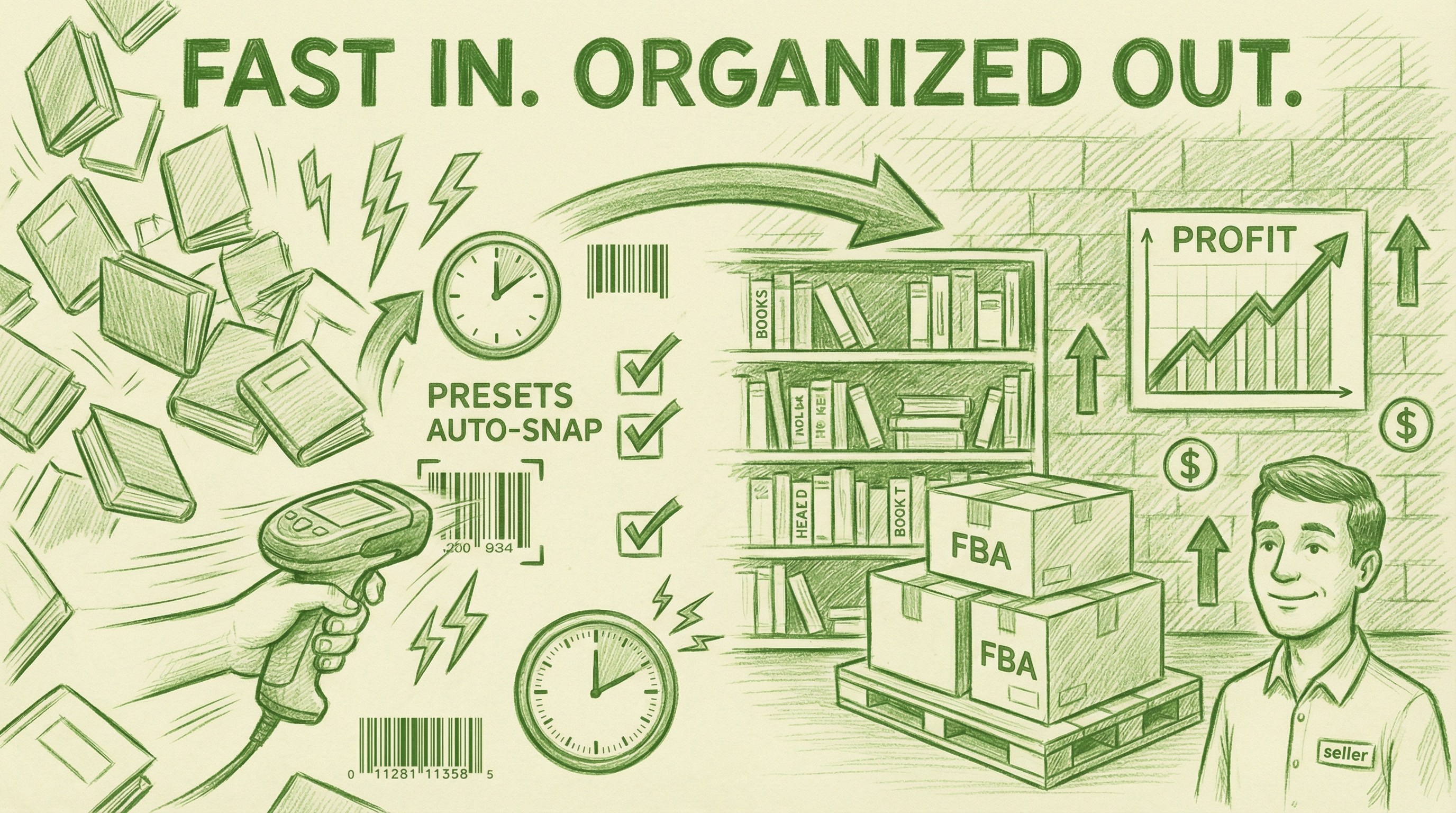
Rapid Scan Mode: Don’t Wait for Amazon. Just Keep Going.
Here’s a feature InventoryLab simply cannot match: AccelerList’s rapid scanning mode.
With InventoryLab, you scan a barcode, wait for Amazon’s API to respond with the product data, then move to the next item. At scale — processing 200, 300, 500 books from an estate sale haul — that latency adds up to real time. You’re bottlenecked by Amazon’s response speed on every single item.
AccelerList’s rapid scan mode eliminates that bottleneck entirely. You scan continuously — AccelerList processes the API calls in the background while you keep moving. You don’t wait. You don’t stop. You just scan.
For a bookseller doing a large haul, this alone cuts processing time dramatically. It’s the difference between your scanner keeping up with your hands and your hands waiting on your scanner.
The result: fast intake, organized output. You come home with 300 books, you scan fast, presets handle condition grading and pricing automatically, and what used to take a full day takes a couple of hours — with every item tracked, every cost logged, every shipment organized and ready to send.

eBay Cross-Listing Built for Books — Not Generic SKUs
InventoryLab doesn’t cross-list to eBay at all. But even most tools that do cross-list get books wrong — because eBay requires specific attribute mapping per category, and for books that means correctly mapping title, author, ISBN, condition, and photos. Do it wrong and your listings look broken. Do it manually and you’re spending 3–5 minutes per book.
AccelerList has this built in. The book attribute mapping is pre-configured — title, author, ISBN auto-populate from the scan. Then: scan the barcode, snap photos on your phone, move on. That’s the entire workflow. No manual field mapping. No switching between tools. No separate photo upload step.
The result: 100 books cross-listed to eBay in an hour. That’s a real number from real sellers. And eBay isn’t a side project — for booksellers running both platforms, it drives 30%+ additional revenue on the same inventory you’re already holding.
InventoryLab leaves that revenue on the table entirely. AccelerList makes it effortless.

$39 vs. $69 — And We Do More
| Independent, founder-run | ✅ Yes | ❌ Acquired by Threecolts |
| Price | $39/mo | $69/mo |
InventoryLab’s accounting is genuinely solid — we’ll give them that. But you’re paying $30/mo more for a tool that bottlenecks you at the scan, forces you into a settings page to change anything, can’t cross-list to eBay, and was built for a different kind of seller than you.
InventoryLab Got Acquired. AccelerList Stayed Independent.
Threecolts acquired InventoryLab and bundled it into their Seller 365 suite. Price went from $49 to $69/mo. You’re now funding a private equity rollup building tools for enterprise sellers — not for resellers processing hundreds of unique ISBNs a week out of a home warehouse.
AccelerList is still founder-run. Still focused entirely on the reseller doing real volume with unique, one-off inventory. The roadmap is driven by what booksellers actually need — not what looks good on an enterprise sales deck.
Who Should Use InventoryLab?
- You sell private label or wholesale with a small, stable SKU catalog
- Accounting depth is your top priority above everything else
- You process low volumes of consistent, repeatable items
- eBay cross-listing isn’t part of your business
Who Should Use AccelerList?
- Books and media are your primary inventory
- You process high volumes of unique SKUs — hundreds to thousands
- You need to move fast: rapid scanning, batch-level defaults, no waiting on Amazon
- You want to list on Amazon and eBay in a single workflow
- You want the full stack — listing, cross-listing, and accounting — for $39/mo
- You want to support an independent product, not a PE acquisition
The Bottom Line
InventoryLab is a good tool for the wrong seller. If you’re a bookseller processing real volume, you’ve probably felt it — the pause after every scan waiting on Amazon, the navigation away from your batch to change a setting, the complete absence of eBay cross-listing, the price creeping up after an acquisition.
AccelerList was built for exactly your workflow. Scan without waiting. Tweak defaults in the batch, not a settings page. List on Amazon and eBay in one shot. Process 5,000 unique SKUs without the tool fighting you. All for $39/mo.
Built for booksellers. Priced for booksellers. Try AccelerList free for 14 days.
Try AccelerList free for 14 days
See how many sales roll in. If you don't make at least $200 — just cancel. But if you're not signed up right now, that money is sitting there.
Start free trial →AccelerList vs. InventoryLab: Which Tool Actually Works for Booksellers in 2026?
If you’re a bookseller on Amazon FBA, you’ve probably tried InventoryLab — or at least heard of it. It’s been around forever, it has solid accounting, and a…

Amazon seller & Software Founder